
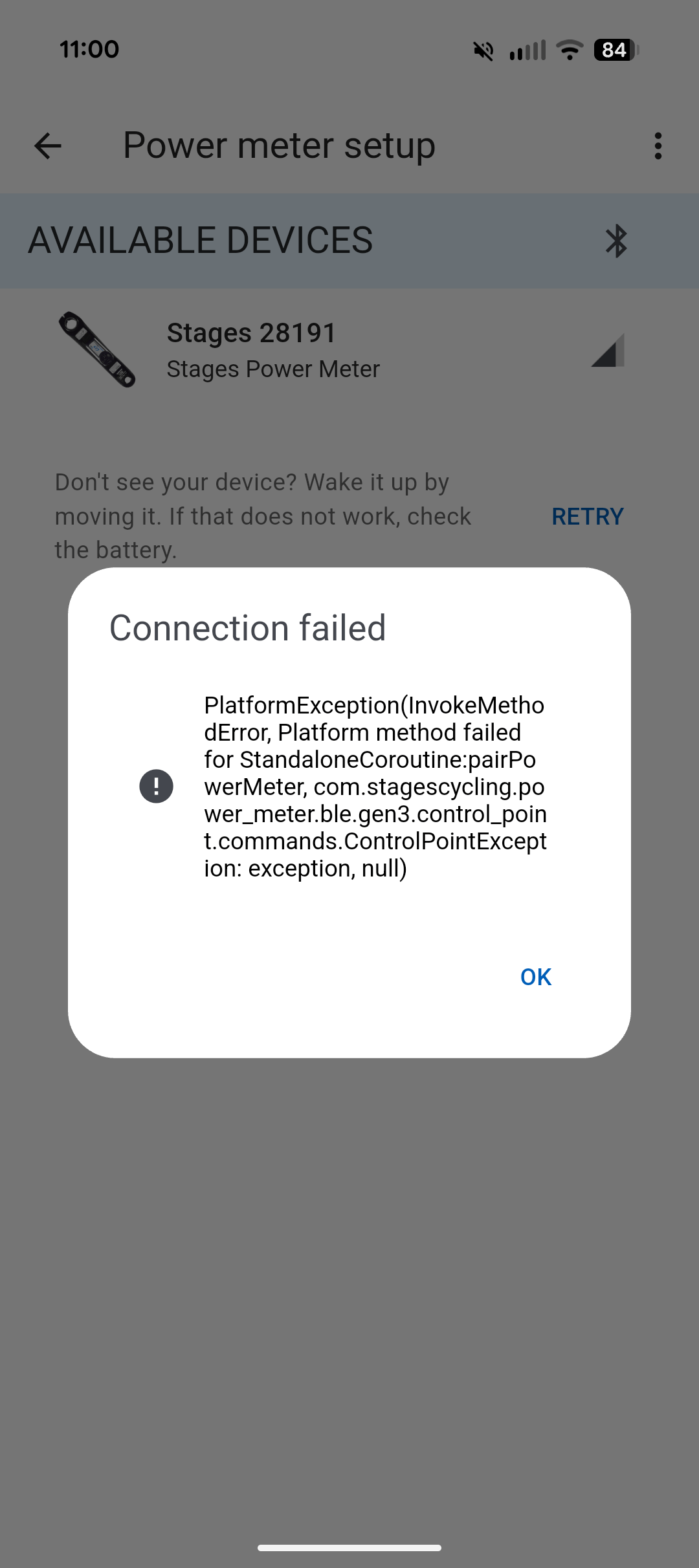
I have a new to me stages power meter and I am not able to connect to stages app, I wanted to calibrate it and just make sure it works properly before I start riding outside.
I already tried the hard reset, new battery, Bluetooth off/on install/reinstall app, phone on and off…just cannot connect. I am attaching the message I get when trying to connect. As far as I know, my powermeter is not connected to any other devices.
I do get the green light to blink on powermeter…
Unfortunately, I cannot download the old stages app, I do not have an old android device…I did log a ticket with stages but not sure how long it will take them to reply so I am trying my luck here.
Any suggestions would be appreciated.
by Wooden_Presence_3088
2 Comments
AFAIK, these are crank powermeters. Just connect it to your computer via ANT+, set the crank length in the computer, and ignore everything else. There is nothing to be gained from the manufacturer’s app.
In detail: The powermeter in this case is supposed to transmit only torque and angular velocity. The computer then calculates that into power if you input the crank length. Therefore, the settings on your computer override any report from the powermeter that you insert.
Is it paired to your phone under Bluetooth devices? It doesn’t (shouldn’t?) need to be, it communicates directly via the app.
If it’s paired to the phone, try deleting it from Bluetooth devices and just open the app to see if it shows up.