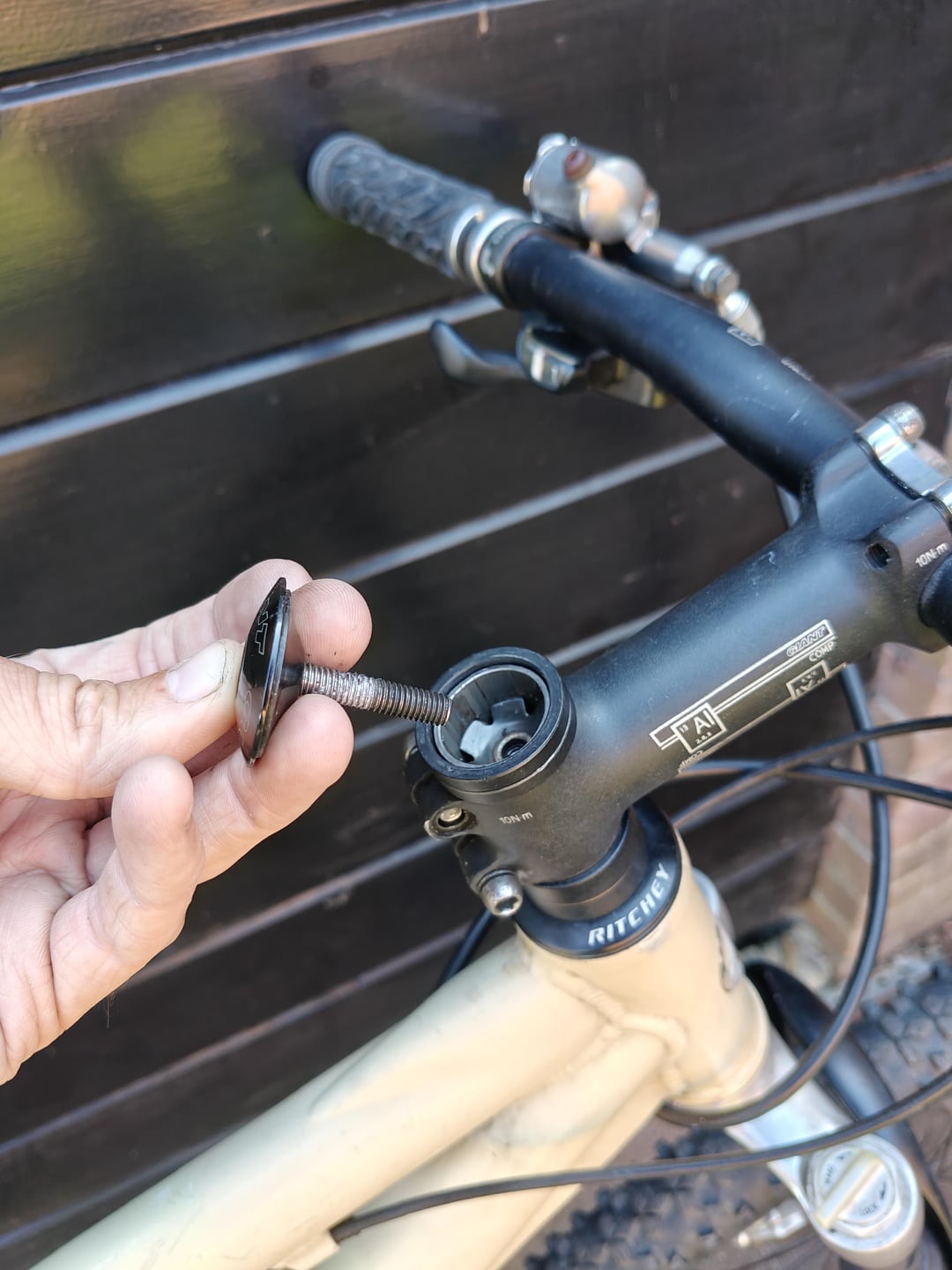
The top cap only sets the preload. You need to undo the stem bolts a little. Tighten the top cap until there is no play in the headset, and then tighten the stem bolts to 10Nm.
ExpendableLimb on
there are not enough spacers or you aren’t setting preload correctly. Replace top spacer w 10mm spacer and watch a youtube video on how to install a threadless stem. should be good.
w1n5t0nM1k3y on
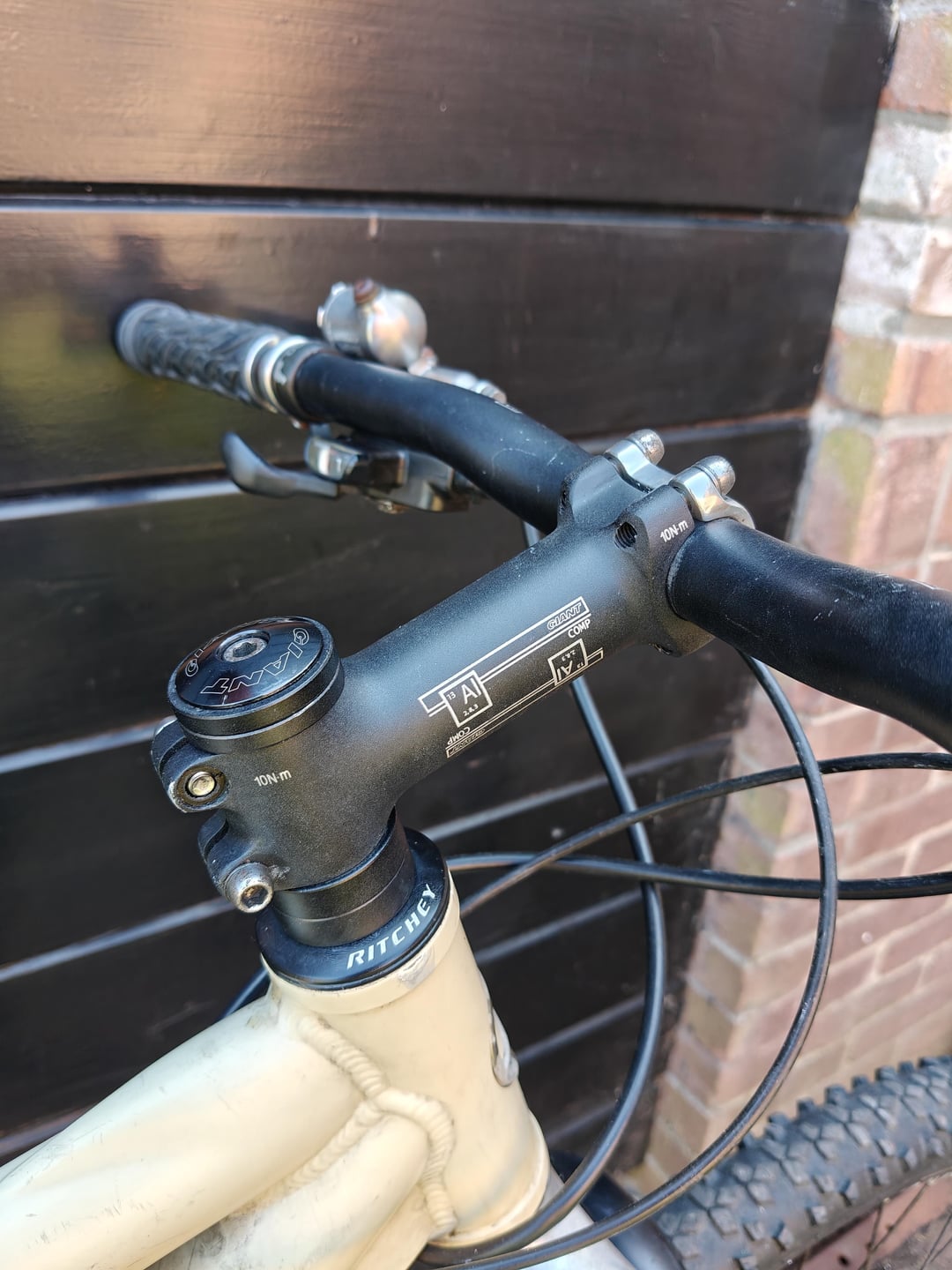
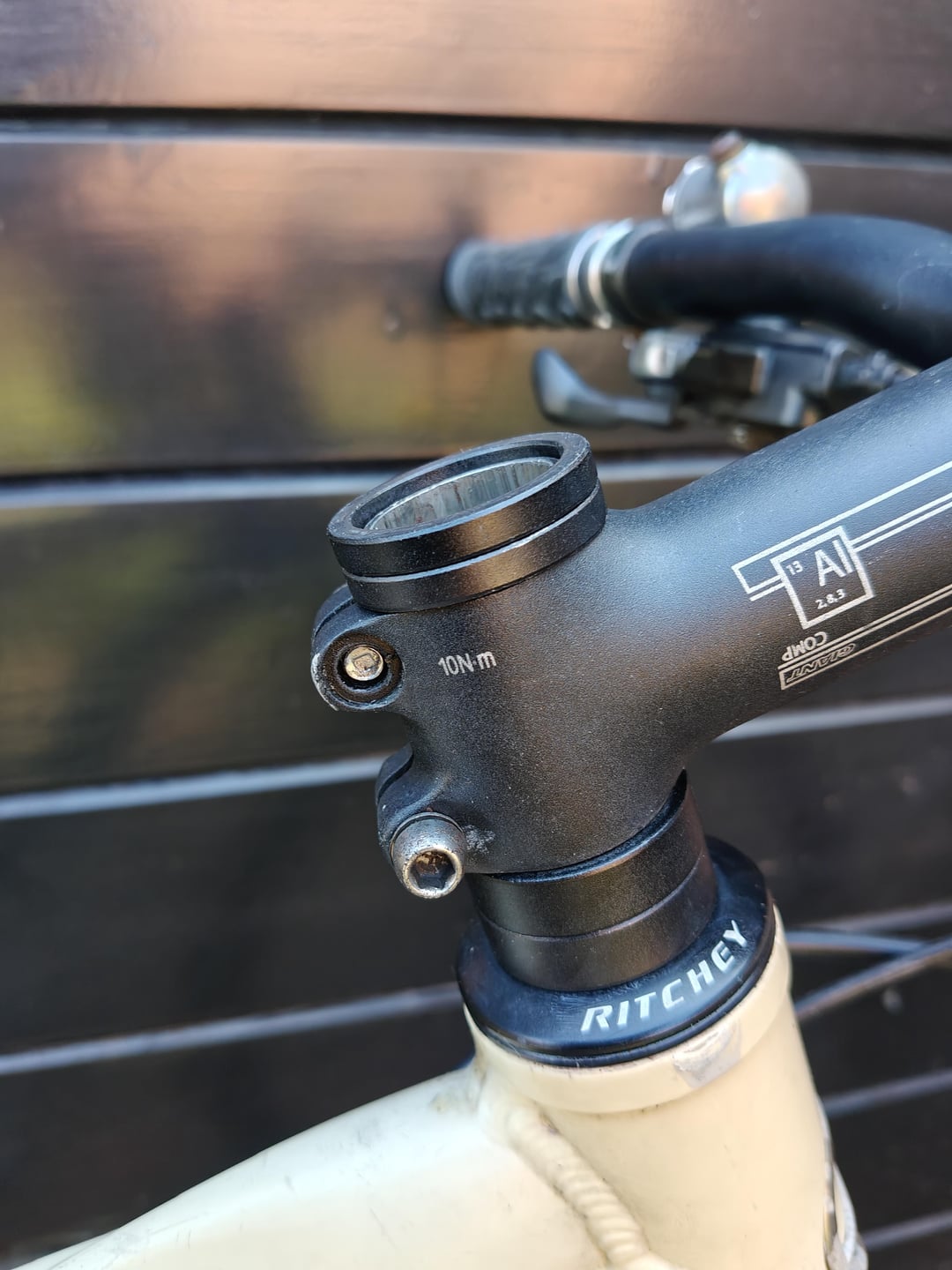
Are those the screws that came with the stem? Something about them looks like they don’t fit right.
Mikeezeduzit on
Are you talking stem twisting movement or wobbly headset movement. The removed bolt is the headset preload top cap to take up slack which if its this may need a new starnut , or the stem clamps up after youve tightened the top cap stopping the twisting and locking the top preload . If its this you may need a new stem as theres not much to go wrong if the bolts tighten.
Sad-Championship7321 on
Did you remove the two rear clamping bolts and then put em in from the wrong sides?
That’s what it looks like to me from the recessed bits and it looks like the washers are loose.
Try taking them out and putting them back in from opposite sides.
EcstaticCourage8708 on
Stem bolts are backwards…the head should sink into the recessed hole
urbanwhiteboard on
I’m gonna switch the stem bolts! Hope that might help!
urbanwhiteboard on
You guys are awesome! I’m learning the skills along the way. Stembolts were in the wrong way. Probably previous owner f-ing around haha but no way my untrained eyes would’ve spotted that. I think this was my 15th time trying to assemble the right way with the spacers. Life savers! Thanks!
Rider_83 on
The screws are backwards and make sure to tighten them at 10Nm.
icyple on
You’re not effectively clamping the head stem because you have the clamp bolts in the wrong way around!

10 Comments
The top cap only sets the preload. You need to undo the stem bolts a little. Tighten the top cap until there is no play in the headset, and then tighten the stem bolts to 10Nm.
there are not enough spacers or you aren’t setting preload correctly. Replace top spacer w 10mm spacer and watch a youtube video on how to install a threadless stem. should be good.
Are those the screws that came with the stem? Something about them looks like they don’t fit right.
Are you talking stem twisting movement or wobbly headset movement. The removed bolt is the headset preload top cap to take up slack which if its this may need a new starnut , or the stem clamps up after youve tightened the top cap stopping the twisting and locking the top preload . If its this you may need a new stem as theres not much to go wrong if the bolts tighten.
Did you remove the two rear clamping bolts and then put em in from the wrong sides?
That’s what it looks like to me from the recessed bits and it looks like the washers are loose.
Try taking them out and putting them back in from opposite sides.
Stem bolts are backwards…the head should sink into the recessed hole
I’m gonna switch the stem bolts! Hope that might help!
You guys are awesome! I’m learning the skills along the way. Stembolts were in the wrong way. Probably previous owner f-ing around haha but no way my untrained eyes would’ve spotted that. I think this was my 15th time trying to assemble the right way with the spacers. Life savers! Thanks!
The screws are backwards and make sure to tighten them at 10Nm.
You’re not effectively clamping the head stem because you have the clamp bolts in the wrong way around!